Secure sign-in and workspace setup
After creating an account, name your workspace and Billwhirl opens a new invoice to get started.
A look inside Billwhirl · no sign-in needed
This short walkthrough uses fictional sample data. It shows the shipped workflow; it is not a live account and nothing here sends an invoice, email, reminder, or payment request.
Then $12/month. Cancel anytime.
01 · Quote to invoice
Create a quote with client details, line items, dates, and notes. After client approval, convert it into a linked draft invoice without re-entering the work.
Quote workflow
Feature steps02 · Branded invoice PDF
Invoices include your business details, terms, due date, line items, and payment instructions. Billwhirl can export the invoice as a PDF to share with a client.
Review the sample invoice PDFFictional invoice sample · BLN-1042
Payment due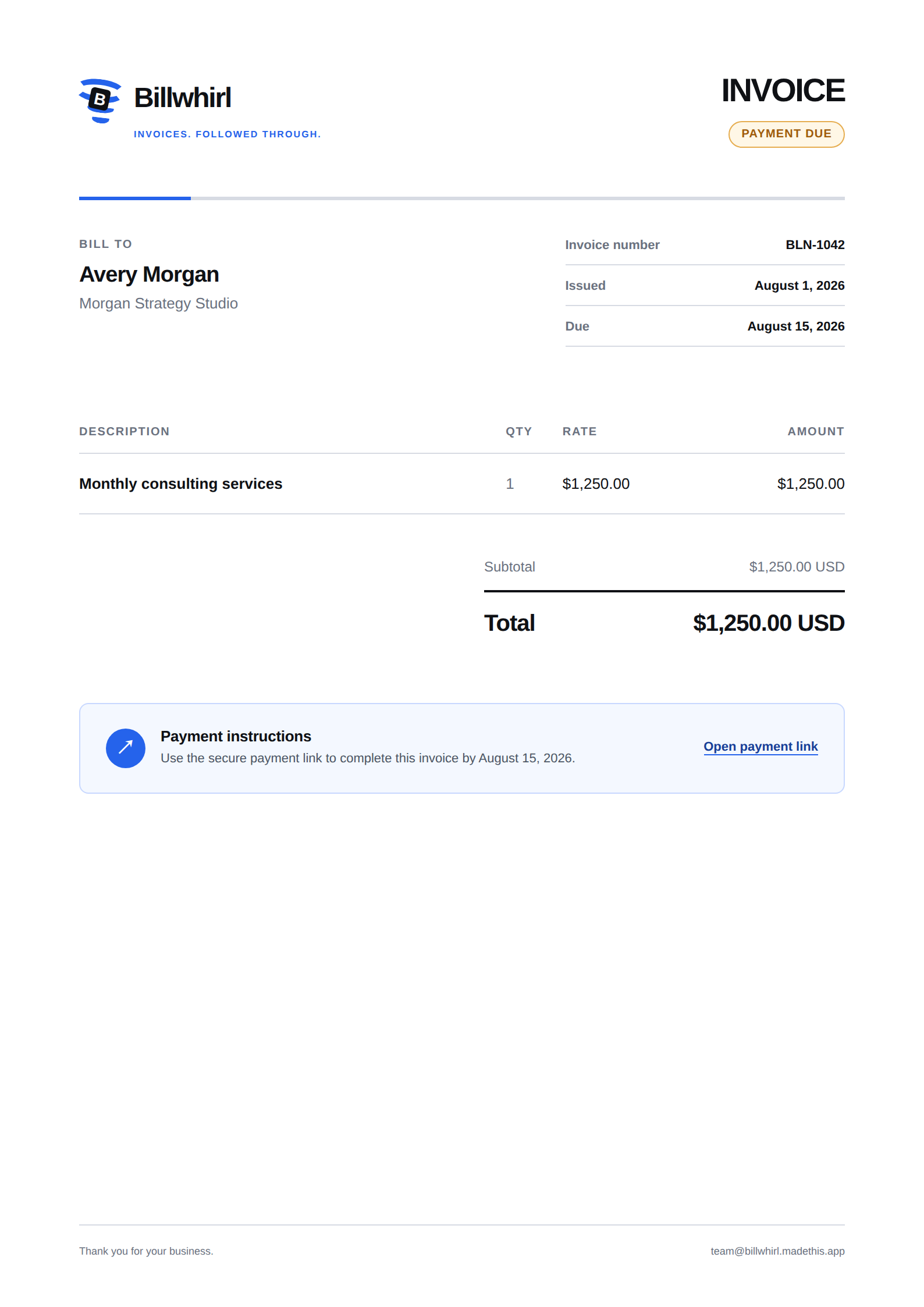
03 · Status and reminders
The dashboard brings invoice and payment status into view. For an unpaid invoice, you can set or pause a reminder schedule.
Fictional invoice
BLN-1042
Invoice status examples
Example timing
3 days before due date
Timing can be adjusted for an unpaid invoice, or reminders can be paused.
Getting started
After creating an account, name your workspace and Billwhirl opens a new invoice to get started.
Review the current monthly plan and checkout details on the pricing page.
The preview uses sample content and does not connect to a Billwhirl workspace.
View pricing